Announcing nationalparkscolors - Color palettes inspired by America's National Parks
Bring the beauty of the great outdoors to your data visualizations
By Kailas Venkitasubramanian in R package Data Science
February 15, 2026
“In every walk with nature, one receives far more than he seeks.” - John Muir
I’m excited to announce nationalparkscolors, an R package that brings the beauty of America’s National Parks to your data visualizations. The package provides 20 carefully crafted color palettes, each inspired by the natural landscapes, geology, and ecosystems of some of the most iconic parks in the country.
The Inspiration
Anyone who has visited a National Park knows the feeling – the colors of nature are striking, harmonious, and deeply memorable. The golden bacterial mats of Yellowstone’s hot springs, the layered reds and ochres of the Grand Canyon, the deep glacial blue of Crater Lake – these are colors that tell a story.
I wanted to capture that feeling in a tool that data scientists and R users could reach for every day. Each palette in this package was designed with attention to:
- Natural authenticity: Colors are drawn directly from the geology, flora, water, and sky of each park
- Color harmony: Palettes use complementary, analogous, or triadic color relationships
- Perceptual uniformity: Colors are distinguishable and accessible
- Data visualization best practices: Palettes work for both categorical (discrete) and continuous data
This package is inspired by the excellent Wes Anderson Palettes package by Karthik Ram.
Installation
# install.packages("devtools")
devtools::install_github("kvenkita/nationalparkscolors")
library(nationalparkscolors)

# See all available palettes
names(natparks_palettes)
#>  [1] "Yellowstone"   "GrandCanyon"   "Yosemite"      "Zion"
#>  [5] "Acadia"        "RockyMountain" "Smokies"       "Glacier"
#>  [9] "Olympic"       "Arches"        "JoshuaTree"    "Everglades"
#> [13] "BryceCanyon"   "GrandTeton"    "Shenandoah"    "Denali"
#> [17] "Sequoia"       "CraterLake"    "DeathValley"   "Badlands"
The Palettes
The package includes 20 palettes spanning parks from coast to coast. Hover over any color to see its hex code.
Yellowstone National Park
Golden bacterial mats, deep blue pools, orange-brown bison, grey-white steam, and evergreen forests
natparks_palette("Yellowstone")Grand Canyon National Park
Red rock layers, terracotta cliffs, sandy beige formations, dusty rose, and deep canyon shadows
natparks_palette("GrandCanyon")Yosemite National Park
Granite grey of Half Dome, waterfall mist blue, meadow greens, deep pine, and sunset glow on El Capitan
natparks_palette("Yosemite")Zion National Park
Navajo sandstone red, canyon shadows, river blue-green, desert sage, and burnt sienna
natparks_palette("Zion")Acadia National Park
Atlantic ocean blue, coastal granite grey, pink granite, forest green, and lighthouse white
natparks_palette("Acadia")Glacier National Park
Glacial turquoise lakes, mountain grey, wildflower magenta, rocky brown, and dense forest green
natparks_palette("Glacier")Great Smoky Mountains National Park
Blue mountain mist, forest green, rhododendron pink, autumn orange, and deep forest shadows
natparks_palette("Smokies")Crater Lake National Park
Deep crater lake blue, caldera rim grey, sky reflection, volcanic rock, and pristine snow
natparks_palette("CraterLake")Bryce Canyon National Park
Orange-red hoodoos, pink limestone, cream formations, iron-stained red, and shadow purple
natparks_palette("BryceCanyon")Death Valley National Park
White salt flats, Artist's Palette pink, desert gold, volcanic black rocks, and oxidized green minerals
natparks_palette("DeathValley")And 10 more: RockyMountain, Olympic, Arches, JoshuaTree, Everglades, GrandTeton, Shenandoah, Denali, Sequoia, and Badlands. See the full list with names(natparks_palettes).
Using with ggplot2
Here are examples showing how to use these palettes in real visualizations.
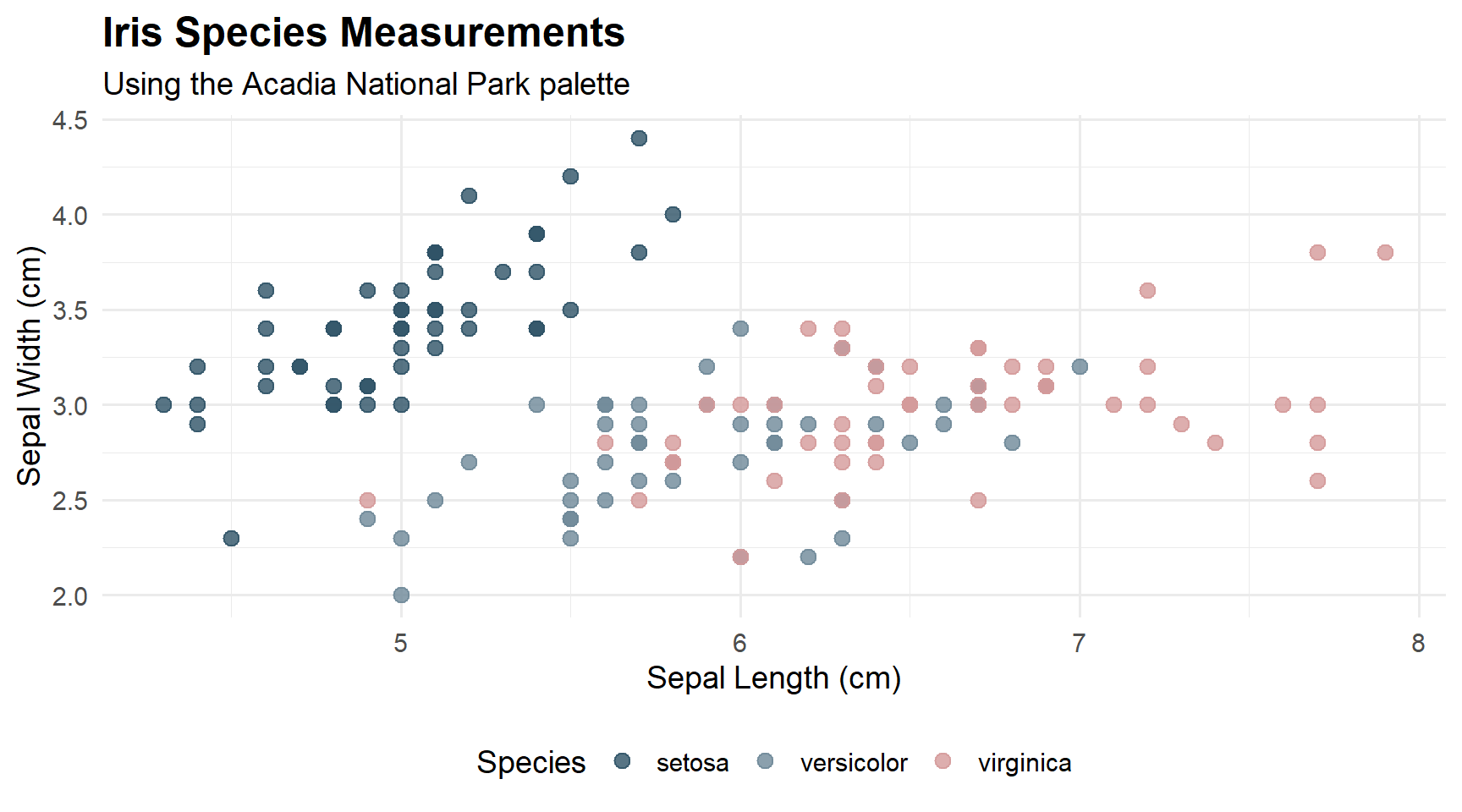
Scatter Plot – Acadia Palette
library(ggplot2)

ggplot(iris, aes(x = Sepal.Length, y = Sepal.Width, color = Species)) +
  geom_point(size = 3, alpha = 0.8) +
  scale_color_manual(values = natparks_palette("Acadia")) +
  labs(
    title = "Iris Species Measurements",
    subtitle = "Using the Acadia National Park palette",
    x = "Sepal Length (cm)",
    y = "Sepal Width (cm)"
  ) +
  theme_minimal(base_size = 14) +
  theme(
    plot.title = element_text(face = "bold", size = 18),
    legend.position = "bottom"
  )
Bar Chart – Yellowstone Palette
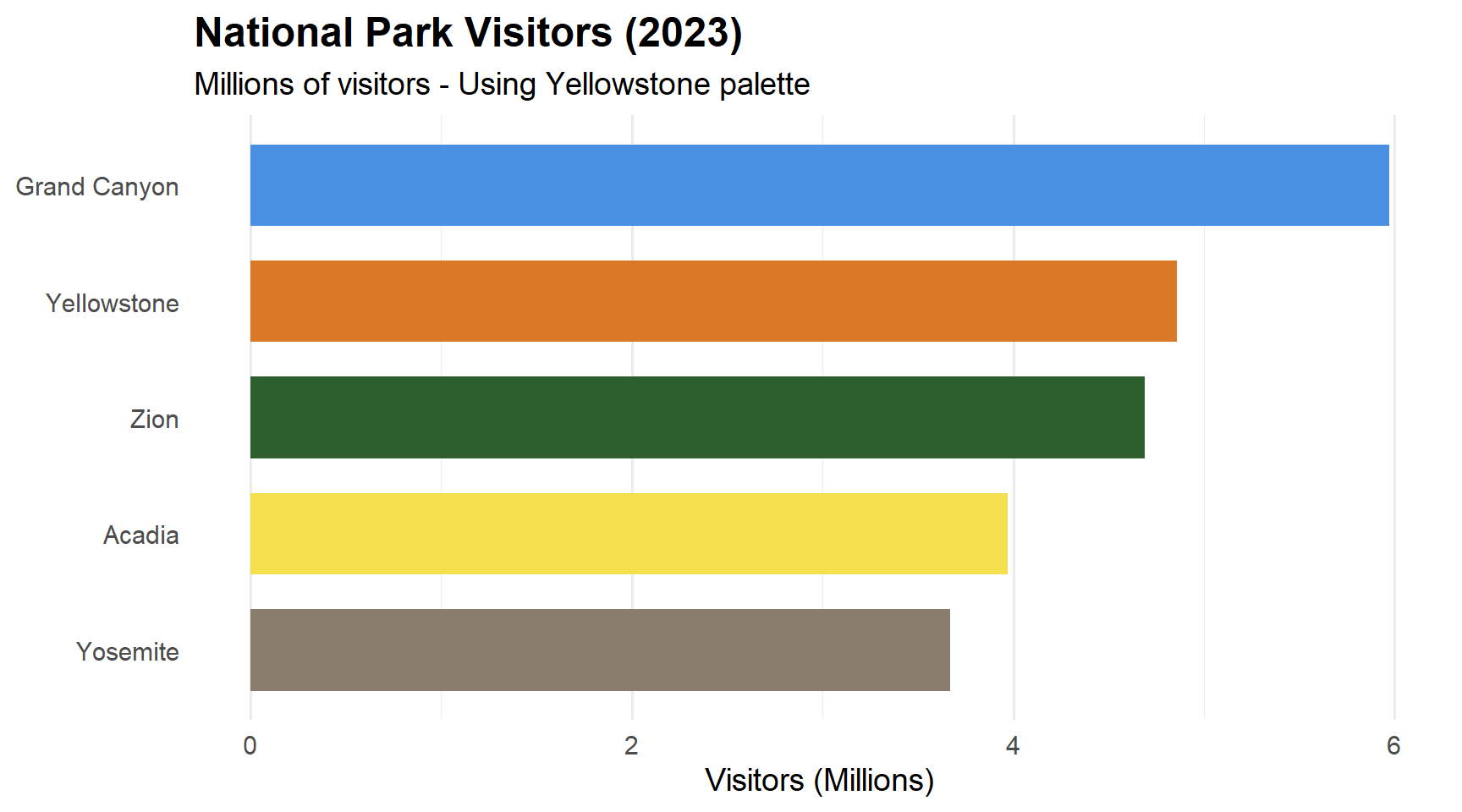
park_visitors <- data.frame(
  Park = c("Yellowstone", "Grand Canyon", "Yosemite", "Zion", "Acadia"),
  Visitors = c(4.86, 5.97, 3.67, 4.69, 3.97),
  stringsAsFactors = FALSE
)

ggplot(park_visitors, aes(x = reorder(Park, Visitors), y = Visitors, fill = Park)) +
  geom_col(show.legend = FALSE, width = 0.7) +
  scale_fill_manual(values = natparks_palette("Yellowstone")) +
  coord_flip() +
  labs(
    title = "National Park Visitors (2023)",
    subtitle = "Millions of visitors - Using Yellowstone palette",
    x = NULL,
    y = "Visitors (Millions)"
  ) +
  theme_minimal(base_size = 14) +
  theme(
    plot.title = element_text(face = "bold", size = 18),
    panel.grid.major.y = element_blank()
  )
Continuous Scale – Glacier Palette
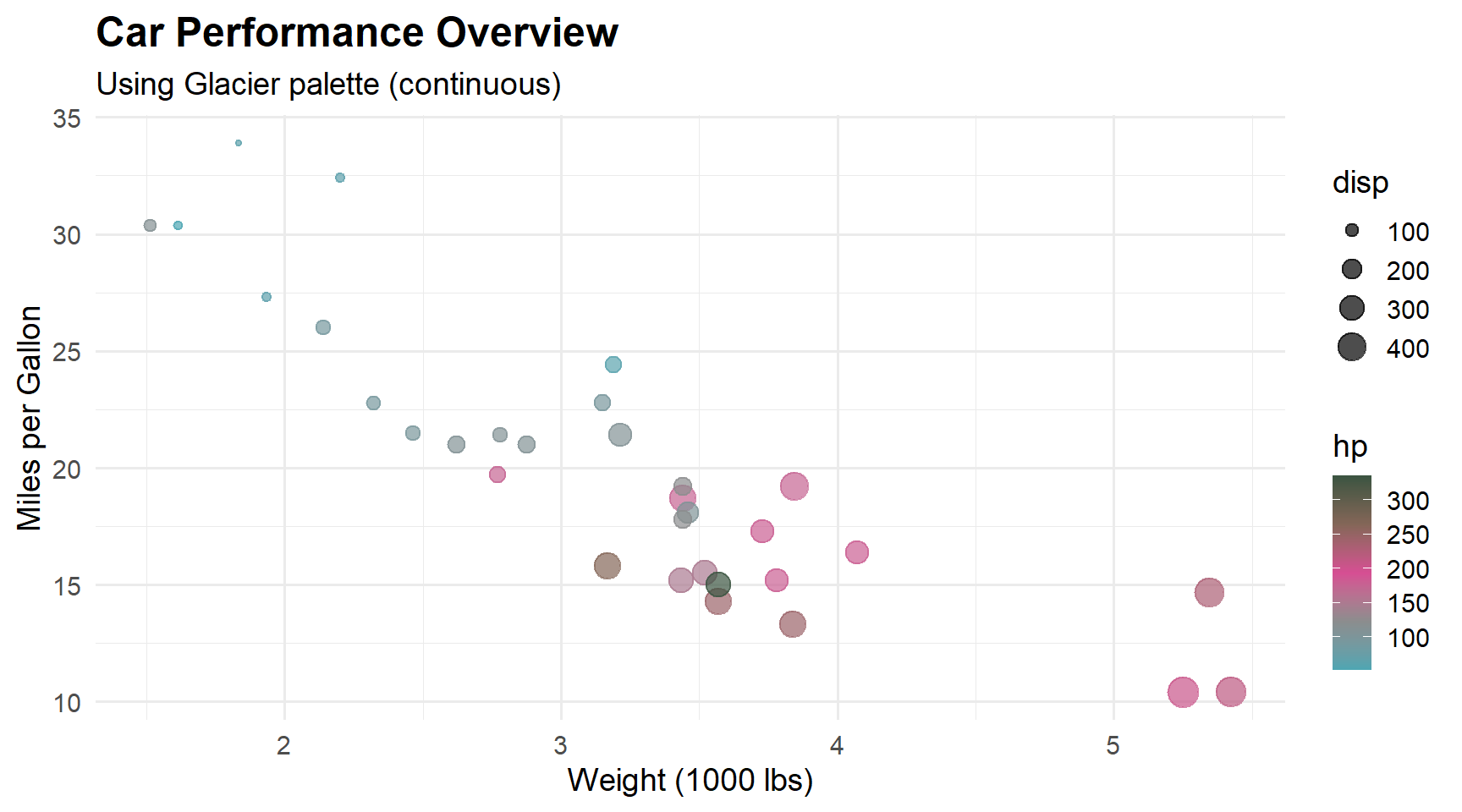
ggplot(mtcars, aes(x = wt, y = mpg, color = hp, size = disp)) +
  geom_point(alpha = 0.7) +
  scale_color_gradientn(colors = natparks_palette("Glacier", type = "continuous")) +
  labs(
    title = "Car Performance Overview",
    subtitle = "Using Glacier palette (continuous)",
    x = "Weight (1000 lbs)",
    y = "Miles per Gallon"
  ) +
  theme_minimal(base_size = 14) +
  theme(plot.title = element_text(face = "bold", size = 18))
Time Series – Crater Lake Palette
library(dplyr)

economics_subset <- economics %>%
  filter(date >= as.Date("2000-01-01"))

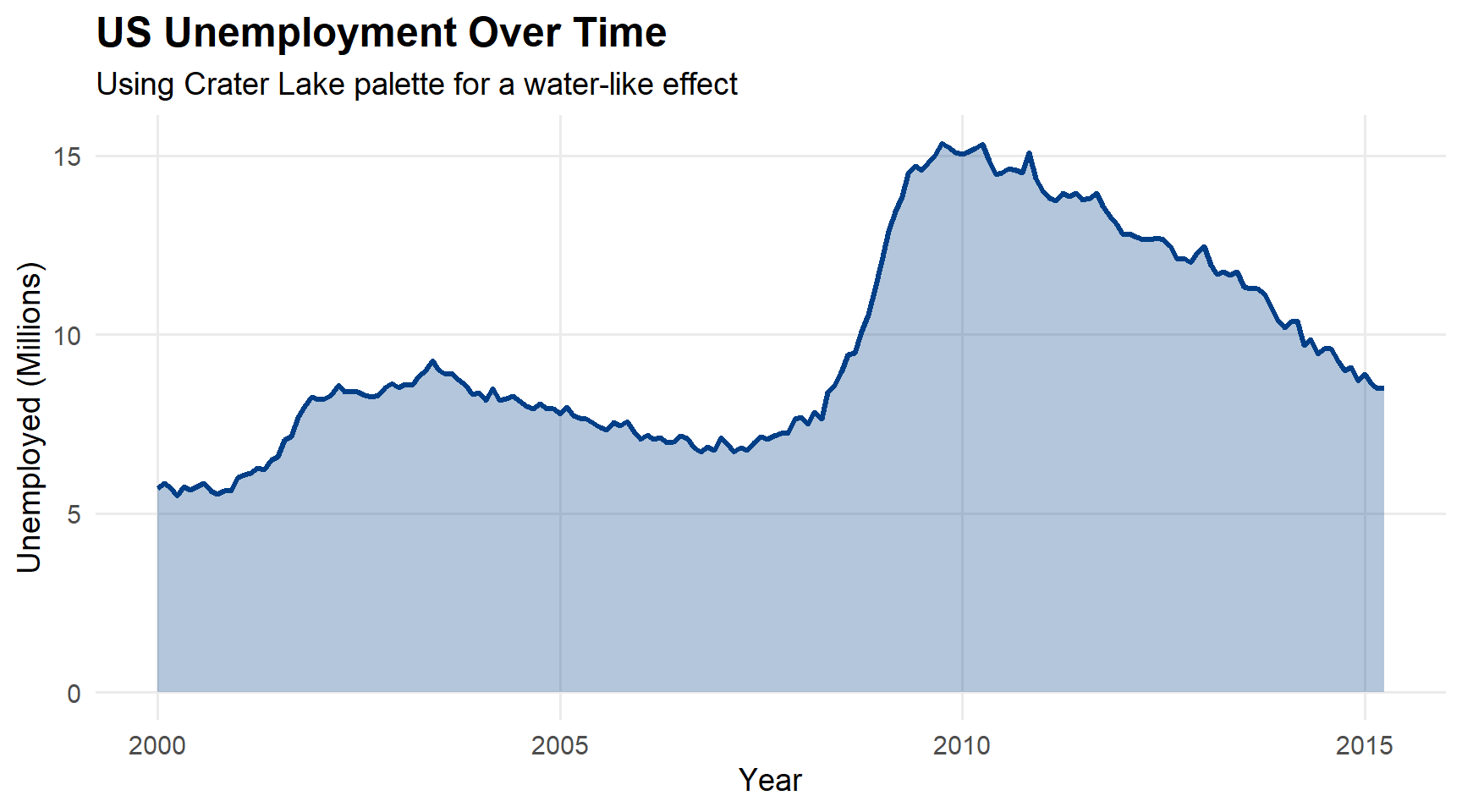
ggplot(economics_subset, aes(x = date, y = unemploy / 1000)) +
  geom_line(color = natparks_palette("CraterLake")[1], linewidth = 1.2) +
  geom_area(fill = natparks_palette("CraterLake")[1], alpha = 0.3) +
  labs(
    title = "US Unemployment Over Time",
    subtitle = "Using Crater Lake palette for a water-like effect",
    x = "Year",
    y = "Unemployed (Millions)"
  ) +
  theme_minimal(base_size = 14) +
  theme(
    plot.title = element_text(face = "bold", size = 18),
    panel.grid.minor = element_blank()
  )
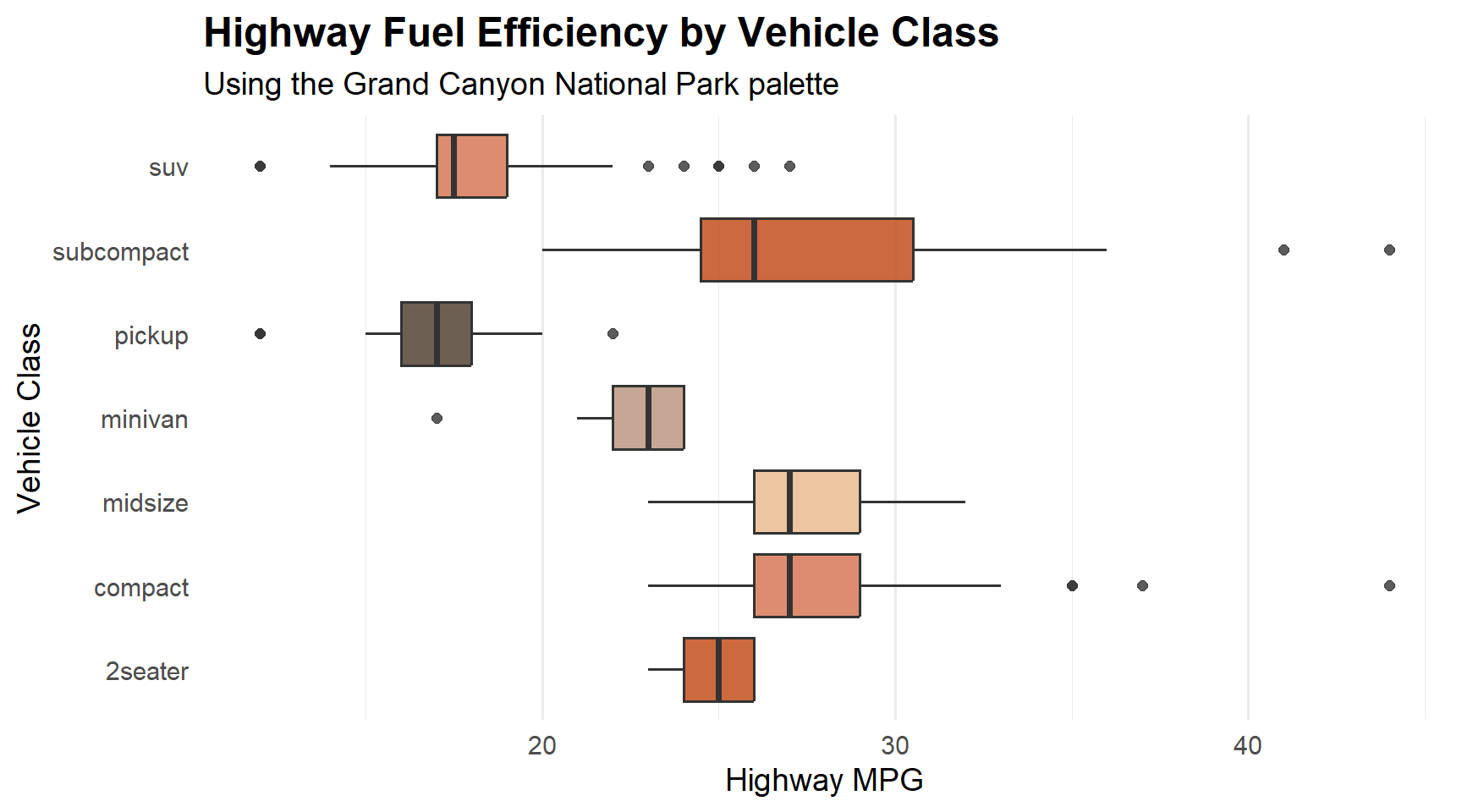
Box Plot – Grand Canyon Palette
ggplot(mpg, aes(x = class, y = hwy, fill = class)) +
  geom_boxplot(show.legend = FALSE, alpha = 0.8) +
  scale_fill_manual(values = rep(natparks_palette("GrandCanyon"), 2)) +
  coord_flip() +
  labs(
    title = "Highway Fuel Efficiency by Vehicle Class",
    subtitle = "Using the Grand Canyon National Park palette",
    x = "Vehicle Class",
    y = "Highway MPG"
  ) +
  theme_minimal(base_size = 14) +
  theme(
    plot.title = element_text(face = "bold", size = 18),
    panel.grid.major.y = element_blank()
  )
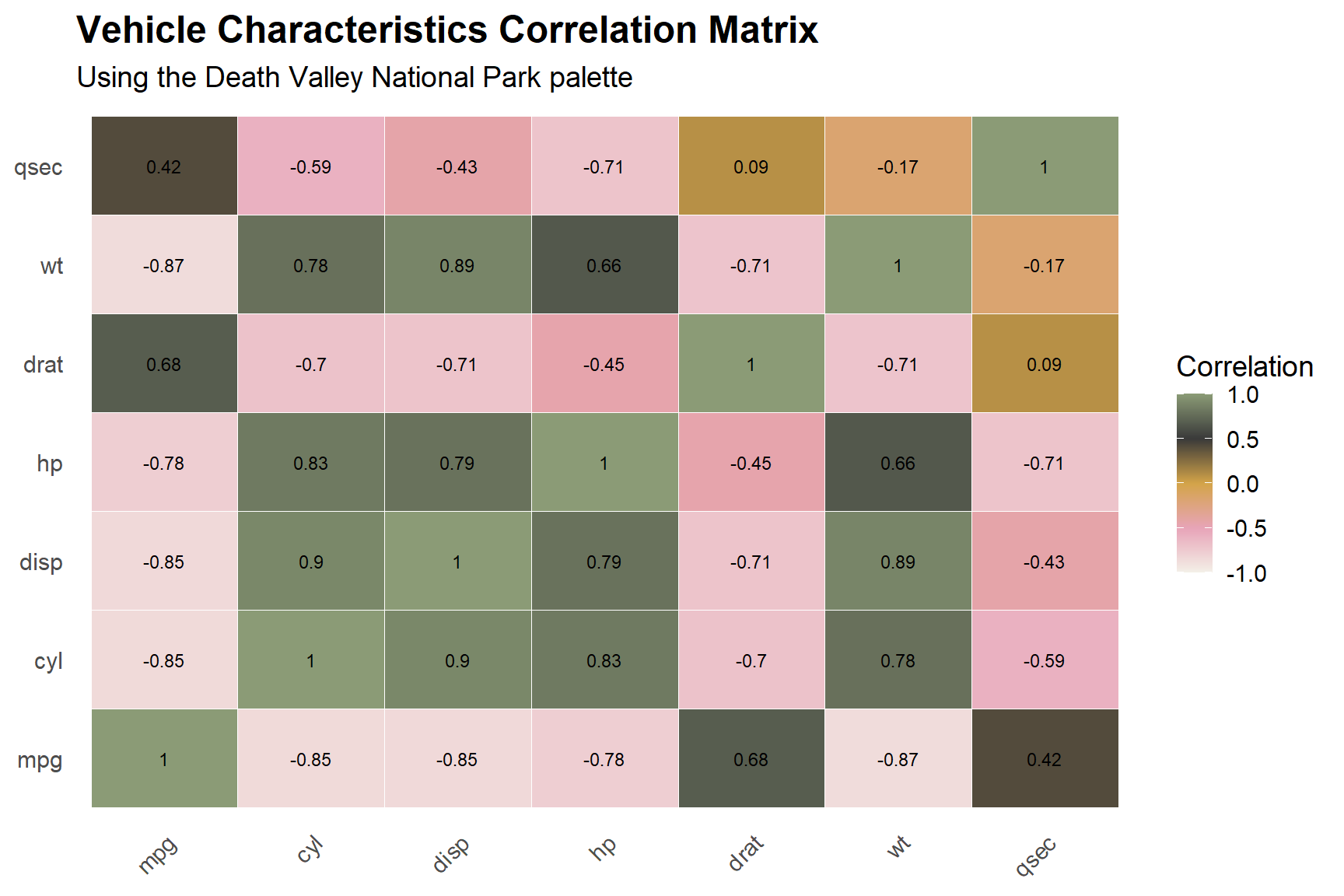
Heatmap – Death Valley Palette
mtcars_cor <- cor(mtcars[, 1:7])
mtcars_cor_df <- as.data.frame(as.table(mtcars_cor))
names(mtcars_cor_df) <- c("Var1", "Var2", "Correlation")

ggplot(mtcars_cor_df, aes(x = Var1, y = Var2, fill = Correlation)) +
  geom_tile(color = "white") +
  scale_fill_gradientn(
    colors = natparks_palette("DeathValley", 100, type = "continuous"),
    limits = c(-1, 1)
  ) +
  geom_text(aes(label = round(Correlation, 2)), size = 3) +
  labs(
    title = "Vehicle Characteristics Correlation Matrix",
    subtitle = "Using the Death Valley National Park palette",
    x = NULL, y = NULL
  ) +
  theme_minimal(base_size = 14) +
  theme(
    plot.title = element_text(face = "bold", size = 18),
    axis.text.x = element_text(angle = 45, hjust = 1),
    panel.grid = element_blank()
  )
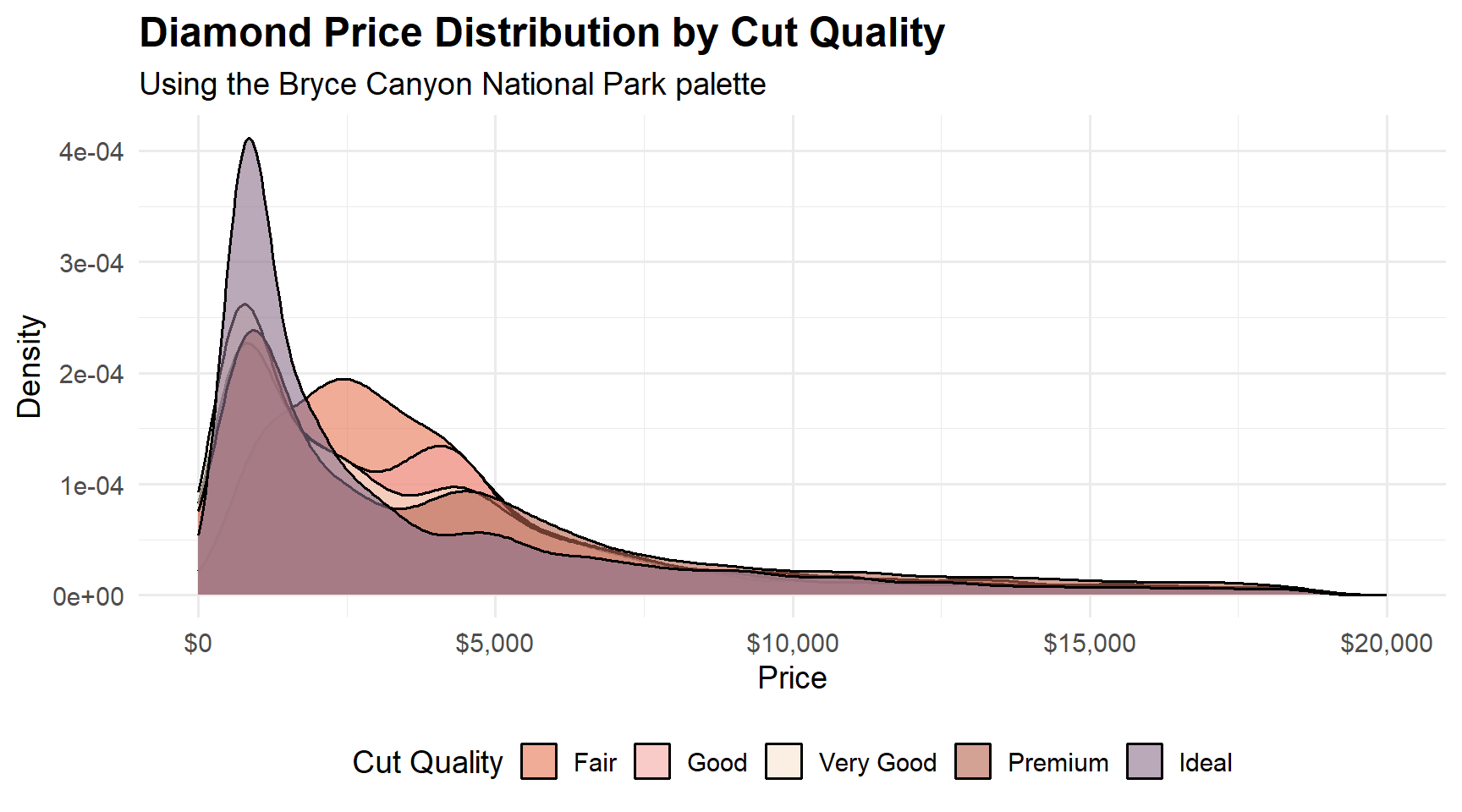
Density Plot – Bryce Canyon Palette
ggplot(diamonds, aes(x = price, fill = cut)) +
  geom_density(alpha = 0.6) +
  scale_fill_manual(values = natparks_palette("BryceCanyon")) +
  scale_x_continuous(labels = scales::dollar_format(), limits = c(0, 20000)) +
  labs(
    title = "Diamond Price Distribution by Cut Quality",
    subtitle = "Using the Bryce Canyon National Park palette",
    x = "Price",
    y = "Density",
    fill = "Cut Quality"
  ) +
  theme_minimal(base_size = 14) +
  theme(
    plot.title = element_text(face = "bold", size = 18),
    legend.position = "bottom"
  )
Palette Selection Guide
| Use Case | Recommended Palettes |
|---|---|
| Categorical data (3-5 groups) | Use any discrete palette as-is |
| Continuous / gradient data | Add type = "continuous" to interpolate |
| Diverging data | Palettes with warm-to-cool transitions (Zion, Glacier) |
| Maps and choropleth | Single-hue gradients (CraterLake, RockyMountain) |
| Time series | Calm, flowing colors (CraterLake, Olympic) |
| Warm / earth tones | GrandCanyon, Arches, Yellowstone, BryceCanyon |
| Cool / water tones | CraterLake, Acadia, Glacier, Olympic |
Links
- GitHub repository: github.com/kvenkita/nationalparkscolors
- Bug reports & feature requests: github.com/kvenkita/nationalparkscolors/issues
If you find this package useful, consider supporting the National Park Foundation to help preserve these incredible landscapes for future generations.